Document HR processes or create employee training materials in minutes, not days
Stop answering the same questions every day. Document your processes, scale training programs, and onboard new hires faster with confidence.
Use MagicHow for All Processes You're Involved In
With MagicHow, you can solve a variety of tasks, from giving new hires assistance in filling out application forms on an onboarding portal to organizing a knowledge base for the company's employees.
Standardized HR Processes
Document HR processes, create how-to guides, and policies that make everyday HR work clear, repeatable, and easy to follow.
Onboarding and selection
Provide your new hires with clear and easy-to-grasp information from their first day and let a company benefit from sustainable teamwork.
Training and Development
Use MagicHow to create scalable training materials and learning paths, standardize knowledge transfer, and monitor completion without manual follow-ups.
Employee Relations
Let your employees be sure they use corporate tools for communication in the most efficient way. Help them stay updated.
Benefits Administration
Explain to your employees how to enroll in health insurance, request sick leave, or retire. Make your instructions clear and illustrative.
Build Standardized Documentation and Training Content
Tutorials
Manuals
Training materials
SOPs
Presentations
Knowledge Bases
Create HR Documentation With MagicHow
MagicHow helps operations teams turn everyday processes into clear, repeatable documentation. From Standard Operating Procedures (SOPs) to training and onboarding materials, you can keep knowledge consistent for the entire organization.
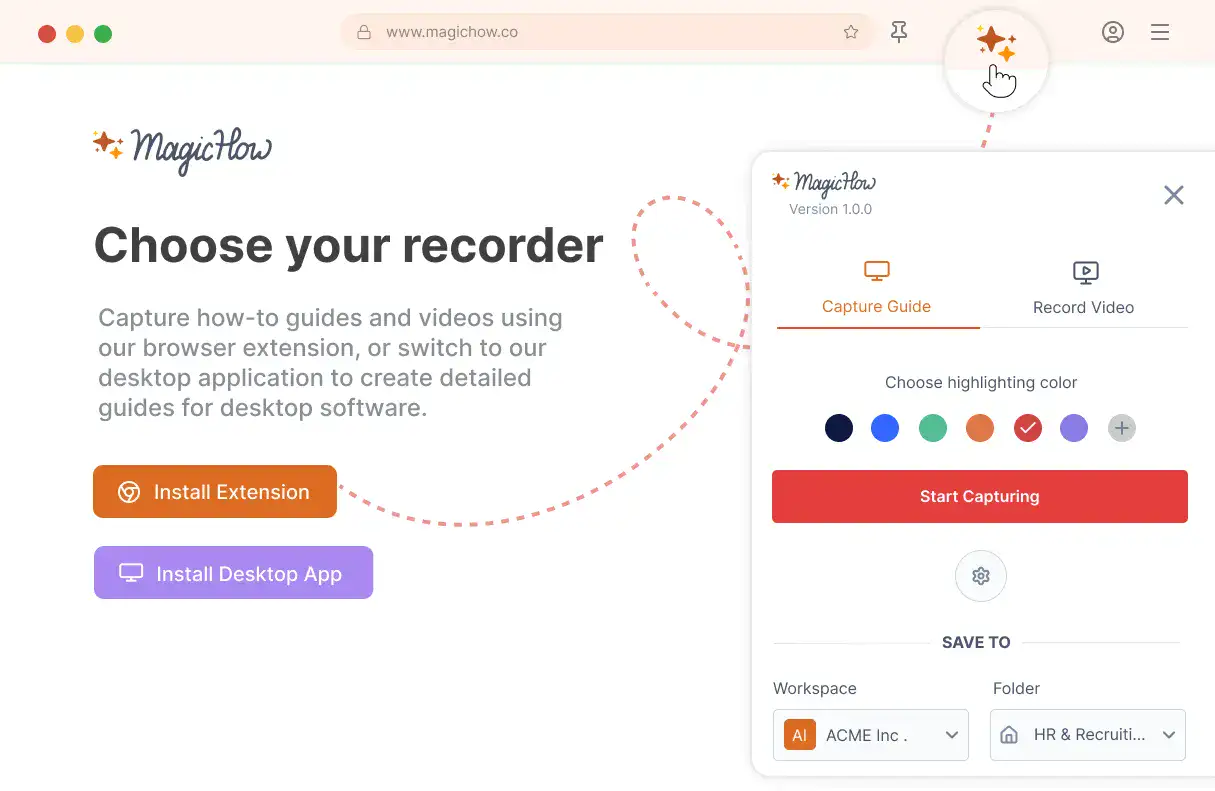
Install MagicHow
Install MagicHow in your browser or on your desktop to start capturing processes across any software in minutes.
- Works in your browser
- Works on desktop (Mac & Windows)
- Works across any software
- Fast, simple, accurate
- Ready in minutes
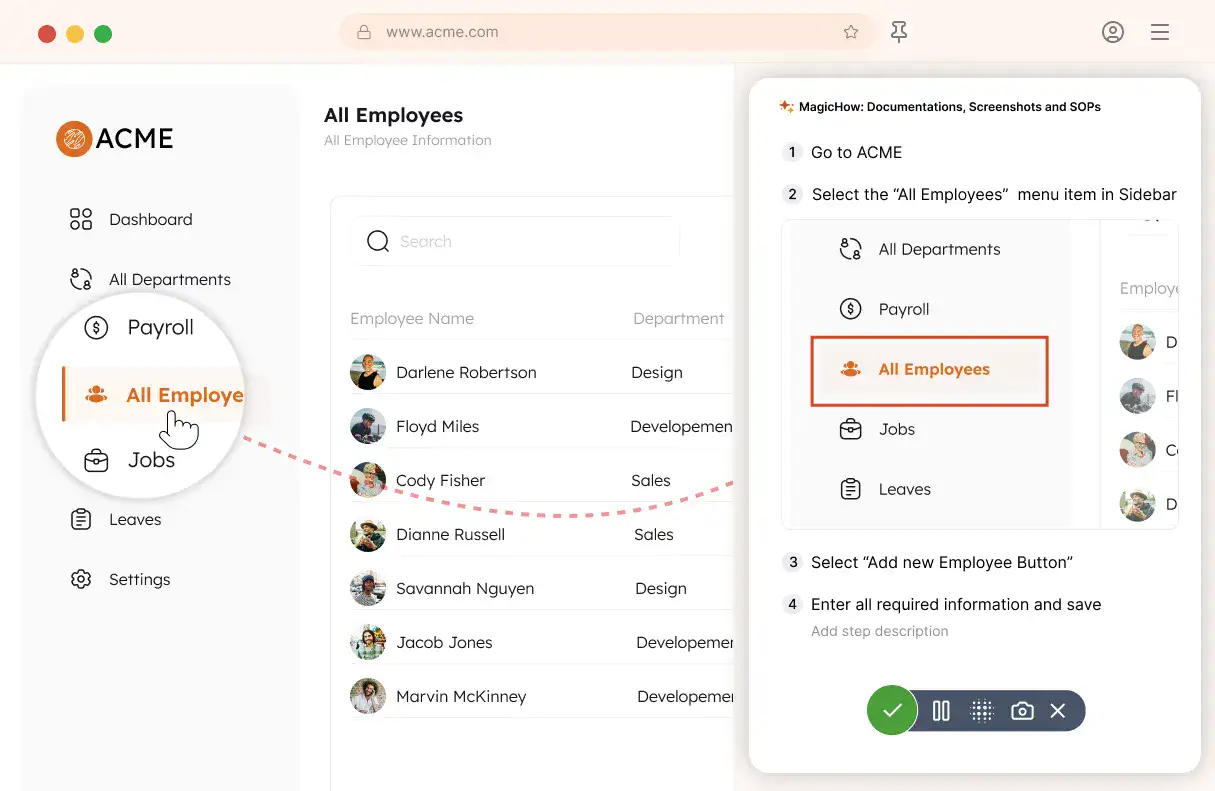
Capture your process
Turn everyday work into documentation by capturing your process as you complete it.
- Creating guides while working
- Record any software process
- Turn actions into steps
- No manual writing needed
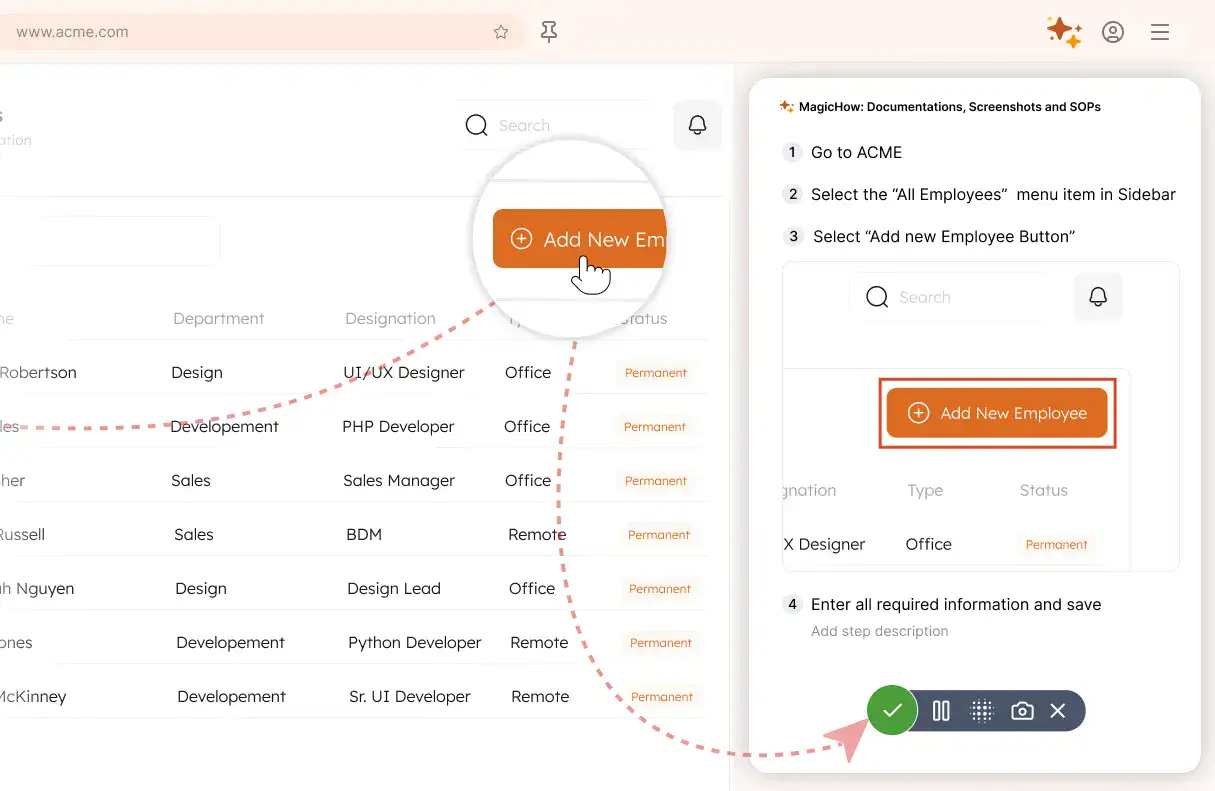
Save your capture
Save your recording, and MagicHow generates a clean, complete step-by-step guide from your actions.
- Turns actions into instructions
- Clean step-by-step output
- No steps missed
- One capture becomes documentation
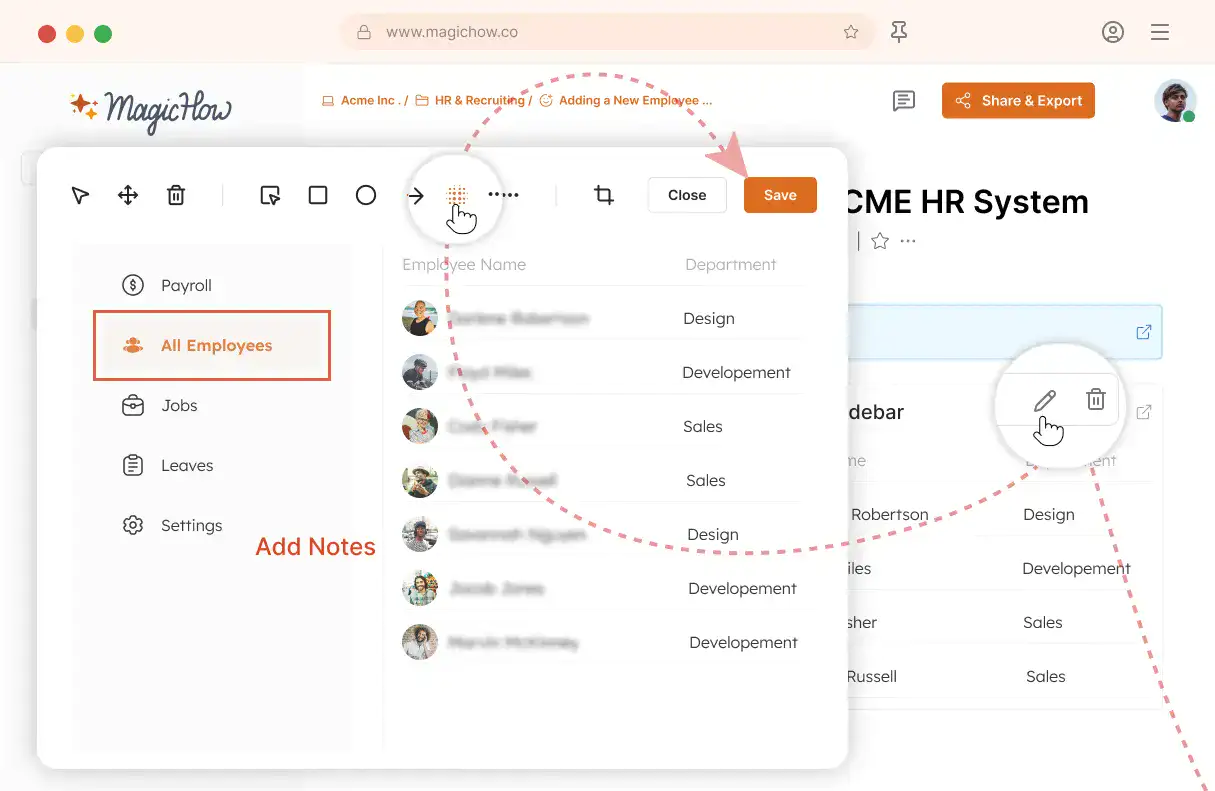
Edit and customize
Quickly improve your guide with edits, AI polishing, and rich content like notes, links, videos, and diagrams.
- Add notes and tips
- Blur sensitive information
- Polish guides in minutes with AI
- Insert links and resources
- Add videos and diagrams
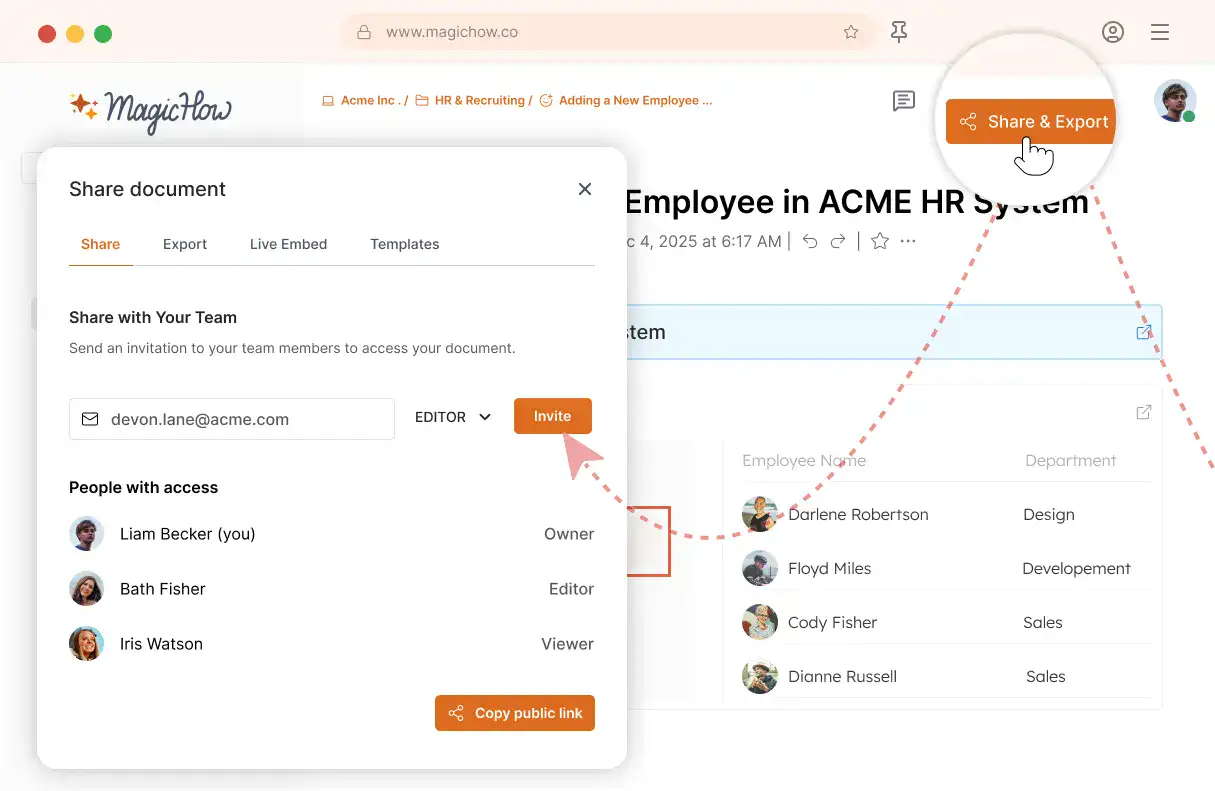
Share with your team
Share guides securely with your team, control access, embed in documentation, or export in multiple formats.
- Invite users to your workspace
- Keep knowledge centralized
- Send public access link
- Export PDF, Word, Markdown
- Control access rights
- Embed in your documentation
Feel the magic! Create your first MagicHow guide right now!
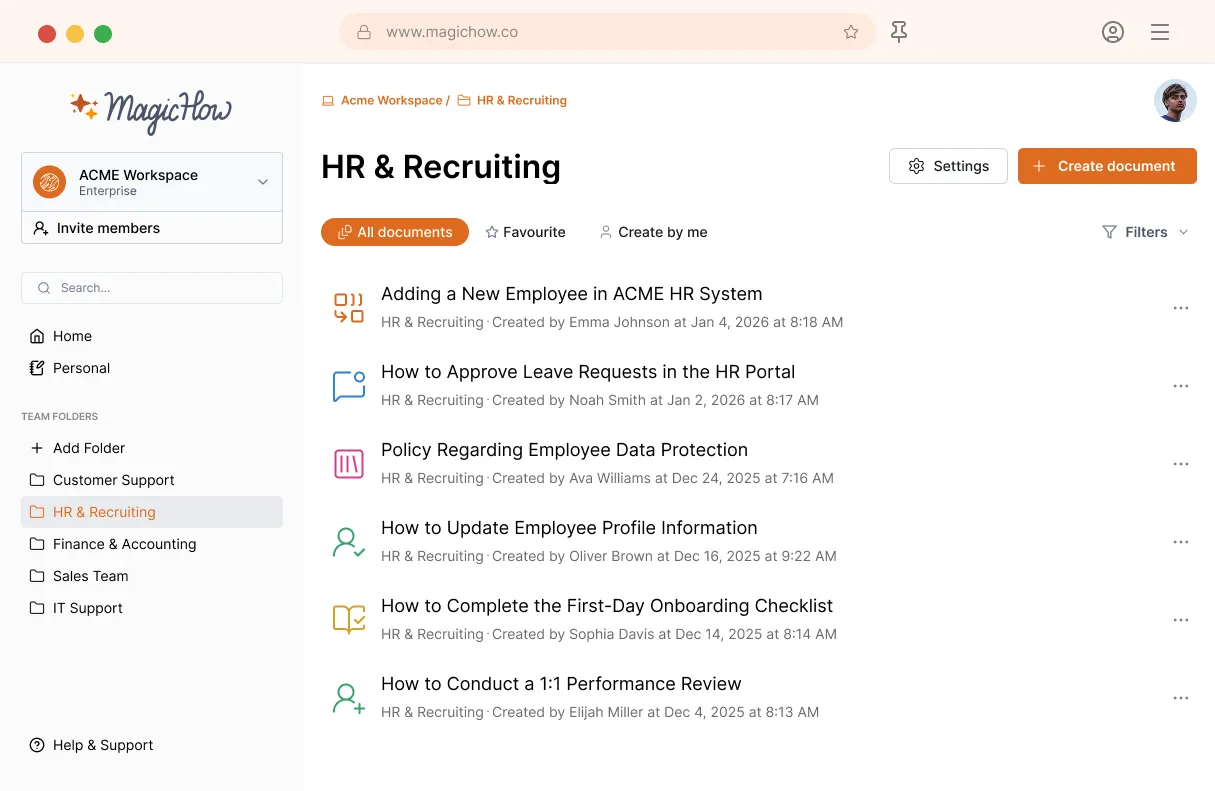
MagicHow for Faster HR Documentation
MagicHow helps HR teams document processes as work happens, turn them into training materials, reduce manual work, and improve efficiency.
Start NowReach Out to Different Audiences While Providing Valuable Info
Colleagues
Employees
Mentees
Professional community
MagicHow's Advantages for HR
Feel the power of automation! Save time for work that needs your expertise.
Versatility
You can use our tool for the largest variety of tasks. It will come in handy for a junior or senior professional. It helps to get ducks in a row in routine tasks. At the same time, it will assist you while making breakthroughs.
Simplicity
MagicHow is a Jack of all trades in the sense that it can record, edit and share your instructions. (Pity, our tool can't pet your cat, but we're working on it.) However, one can use it intuitively. You can create a short guide in five minutes.
High Effectiveness
Each tool's feature is backed up by experience. 'How can this task be done with fewer moves?' We've been working on MagicHow with this thought in mind. We packed the tool with services people really need.
You’re one step away from creating training-ready guides and sharing knowledge across your team.
Got Questions?
If you can't find what you're looking for, get in touch.
How Can I Make a Step-By-Step Guide With MagicHow?
Creating a how-to-guide with MagicHow is as simple as doing your daily work yet even simpler. Start a program you're going to use, then turn on an extension (MagicHow should be installed in advance). Press a record button to start recording. Go through all steps of the process with recording in the background. As soon as a process is finished, stop recording.Go to your MagicHow dashboard and edit your how-to guide by adding steps' titles and descriptions, blurring sensitive data, customizing the slides, replacing them, and merging.Finally, share, download instruction in the required format, or embed it into other tools. All your documents are stored in the cloud and visible on your dashboard.
How Can I Edit My MagicHow Guide?
You can hone your presentation by choosing the appropriate options on your dashboard. Here is the list of features you can use to adjust a guide to your target audience's purposes:
cropping a picture;
providing titles, descriptions, and comments to your slides;
redacting personal information;
adding logos to your screenshots;
changing style (colors, fonts);
sharing and downloading a guide.
Feel free to make your instructions look as you wish. You can edit your screenshots at any time, right after they were created or later.
Can I Use MagicHow in the Browser or as a Desktop Tool?
Yes. MagicHow is available both as a browser extension and as a desktop application. You can capture workflows in browser-based tools using the browser extension, as well as in desktop applications with the desktop recorder, allowing you to document processes wherever your team works.
How Can I Deliver My Instructions Made With MagicHow?
We've provided a few ways of your presentations’ delivery:
share your step-by-step guide via the link configuring access settings;
export your manual in PDF;
copy your guide as HTML or Markdown to post it on third-party sites;
embed your guide in such popular tools as Notion or Confluence.
Good news! When you embed your MagicHow product on another site, information is updated dynamically: changes are displayed on the site as soon as you make the amendments.
How Much Does It Cost to Use MagicHow?
MagicHow offers flexible pricing to meet the needs of individuals, small teams, and large enterprises, with a free option to get started and paid plans with more advanced features. At a high level:
There is a free plan that lets you use key features like browser capture, real-time collaboration, shareable links, and basic export options—ideal for individuals or small teams experimenting with documentation.
Paid plans are designed for users who need more capabilities, including unlimited guides and projects, desktop and browser capture, advanced editing tools, custom branding, and rights management.
For larger organizations with specific security or administrative needs, Enterprise plans provide additional controls like SAML SSO, SCIM provisioning, custom export options, and dedicated account support.
You can see up-to-date pricing details and compare features across plans on the MagicHow Pricing page