Onboard teams to new software in minutes
When you introduce new software, MagicHow captures your process and creates a step-by-step guide. No manual documentation, no long onboarding sessions, just clear instructions your team can follow.
Enable Fast, Effortless Adoption of New Tools
MagicHow records how you use a new tool and turns it into visual step-by-step guides and SOPs. Your team can adopt new software without lengthy training sessions or meetings.
Create How-To Guides
With MagicHow, you can create a training manual for any kind of software that is run on a desktop or browser. While you take an action using software, MagicHow records it and turns it into a how-to guide with screenshots and descriptions.
Easy Scalable Knowledge Base
Embed your instructions and manuals into your knowledge base quickly and easily. MagicHow makes it possible to update your guiding content in the real-time mode, allowing you to keep your colleagues up to speed with innovations.
Wide Audience Coverage
Instructions, manuals and tutorials made with MagicHow are easy-shareable; hence, document authors can reach out to the wide audience, passing on their experience in using software. One document can be translated to hundreds or even thousands of readers.
Smooth Software Adoption
Detailed instructions help employees work productively from the first day of a new tool implementation. Visual guidance builds confidence and reduces mistakes. Standardized processes ensure consistent execution across the team.
Learning Consistency
Learning that is planned and supported by detailed and visual manuals, is more effective compared to the knowledge acquisition that is impromptu and haphazard. Visual instructions help flatten the learning curve and shorten the terms of learning.
Highly Competent Team
A comprehensive knowledge makes your team proficient and able to find efficient solutions for every task, even the most brain-wracking ones. It allows your business to retain clients, strengthen its reputation and, as a result, increase profits.
Create Everything Your Team Needs to Adopt New Tools
SOPs
Guides
Manuals
Breakthrough Tips
FAQs
Tutorials
Generate SOPs and How-to Guides for Fast New Software Adoption
Create how-to guides for new software in minutes. Clear documentation makes even complex software easy to adopt.
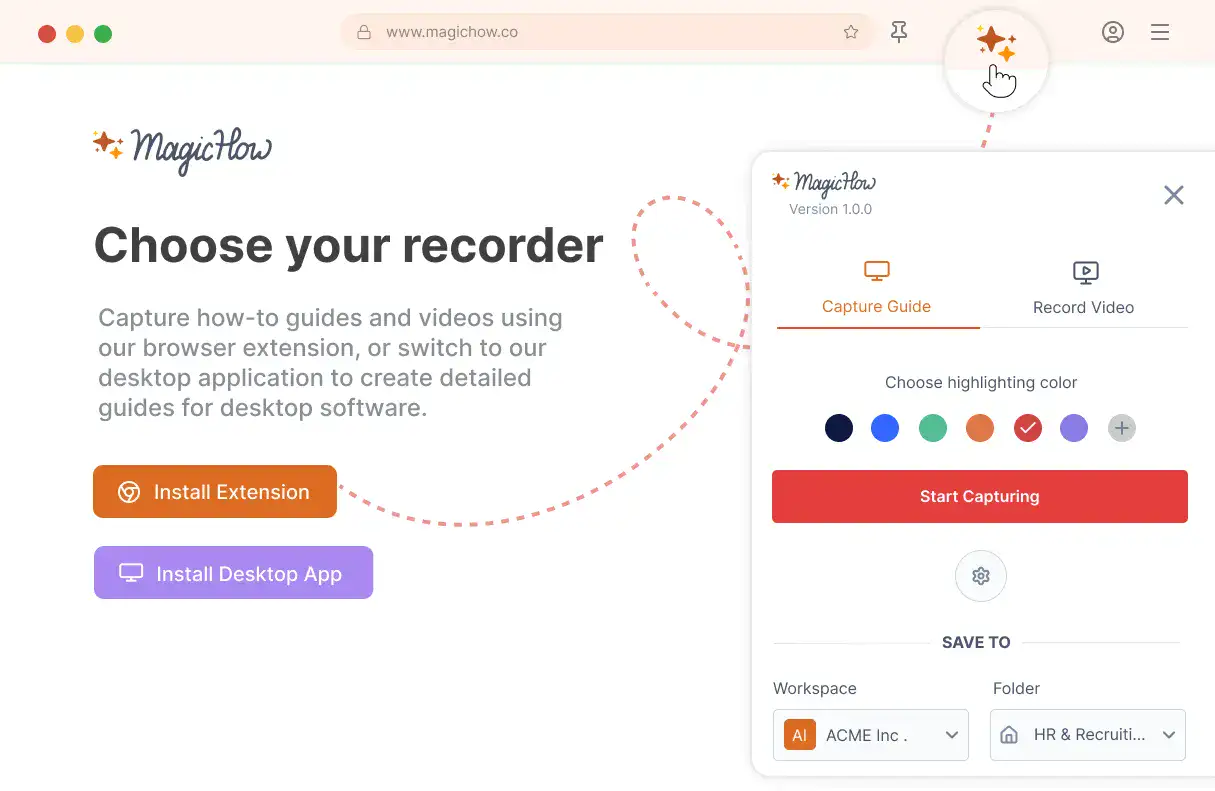
Install MagicHow
Install MagicHow in your browser or on your desktop to start capturing processes across any software in minutes.
- Works in your browser
- Works on desktop (Mac & Windows)
- Works across any software
- Fast, simple, accurate
- Ready in minutes
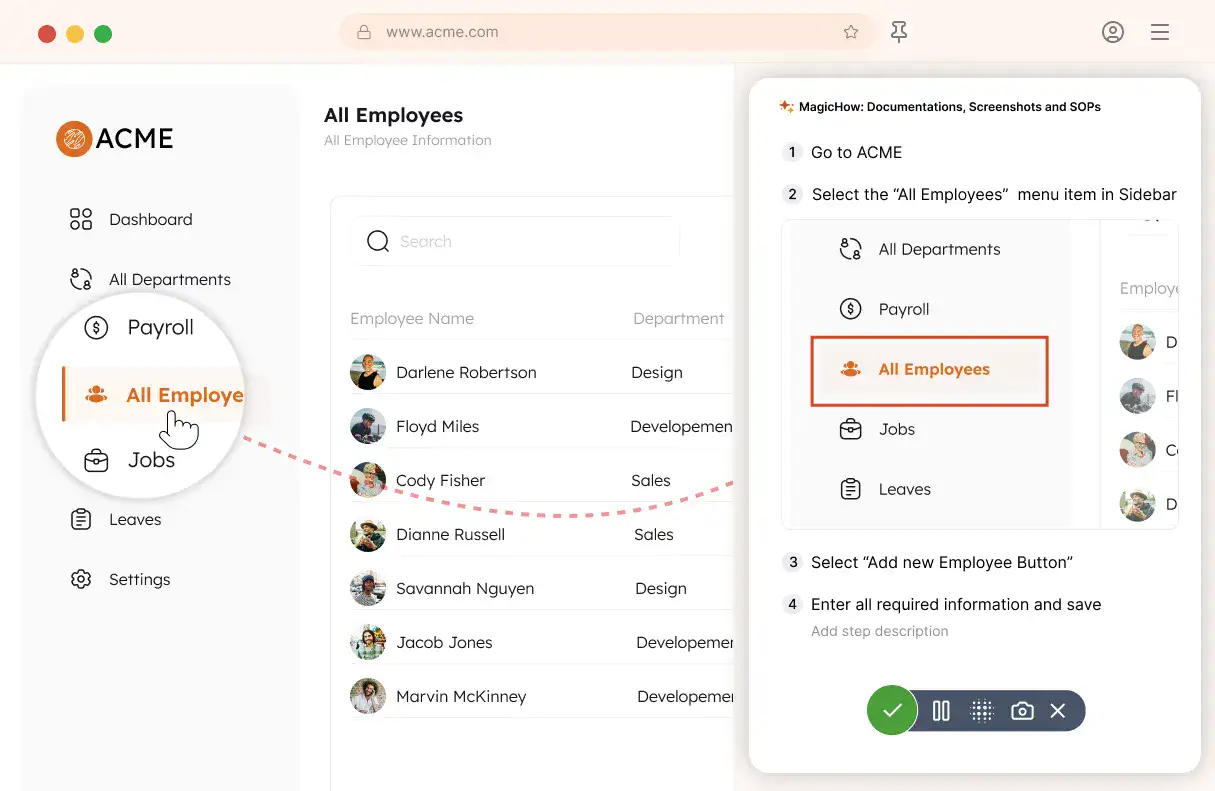
Capture your process
Turn everyday work into documentation by capturing your process as you complete it.
- Creating guides while working
- Record any software process
- Turn actions into steps
- No manual writing needed
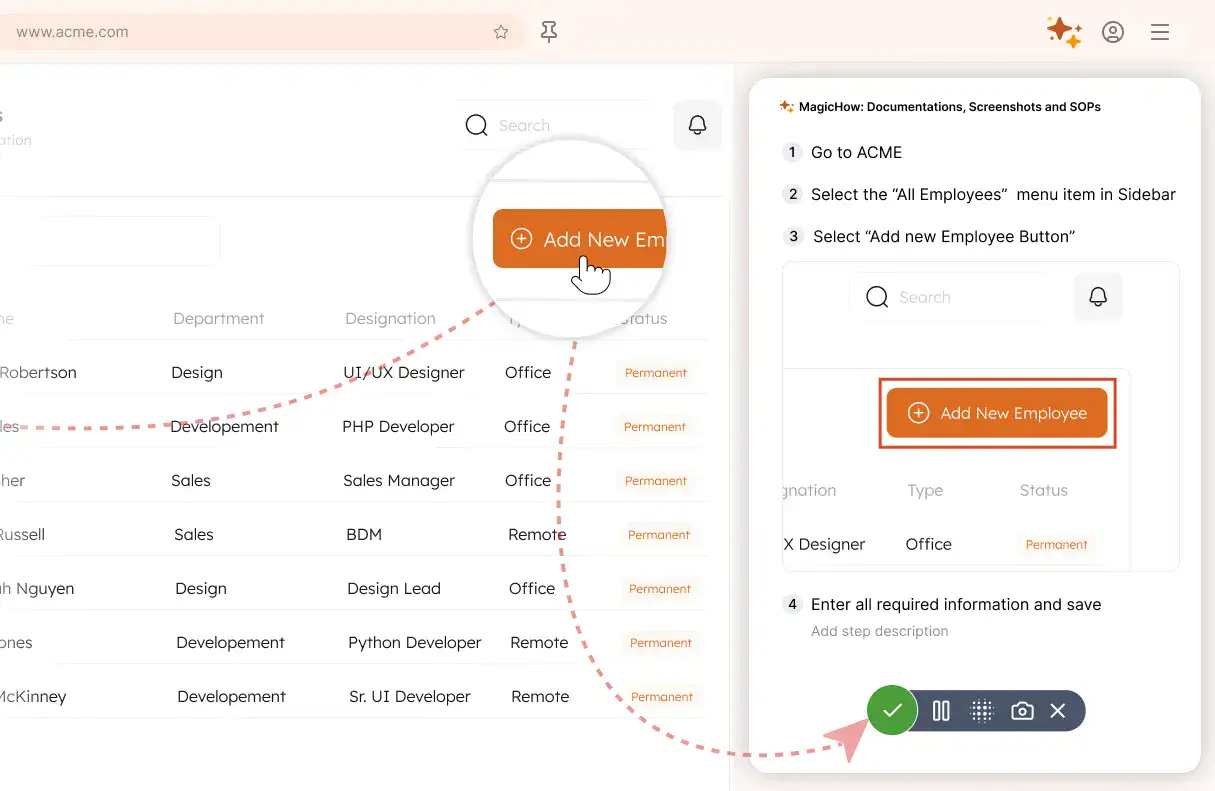
Save your capture
Save your recording, and MagicHow generates a clean, complete step-by-step guide from your actions.
- Turns actions into instructions
- Clean step-by-step output
- No steps missed
- One capture becomes documentation
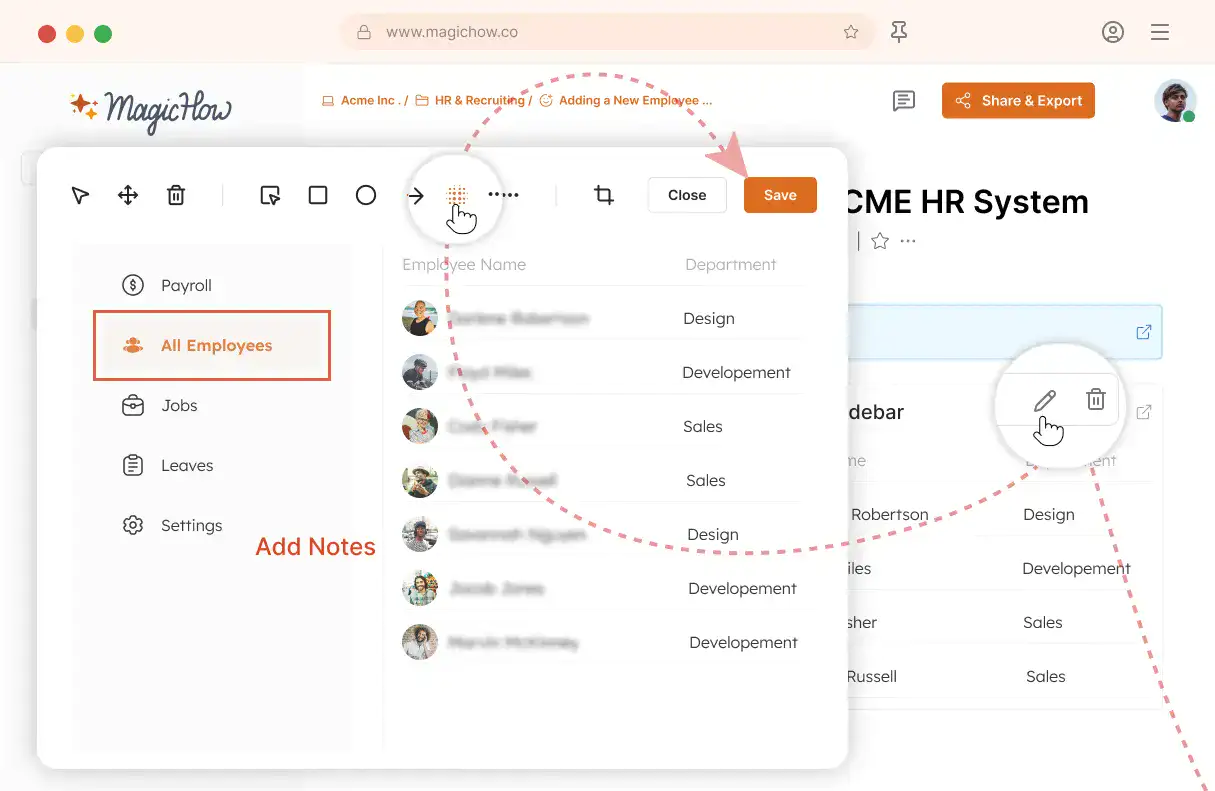
Edit and customize
Quickly improve your guide with edits, AI polishing, and rich content like notes, links, videos, and diagrams.
- Add notes and tips
- Blur sensitive information
- Polish guides in minutes with AI
- Insert links and resources
- Add videos and diagrams
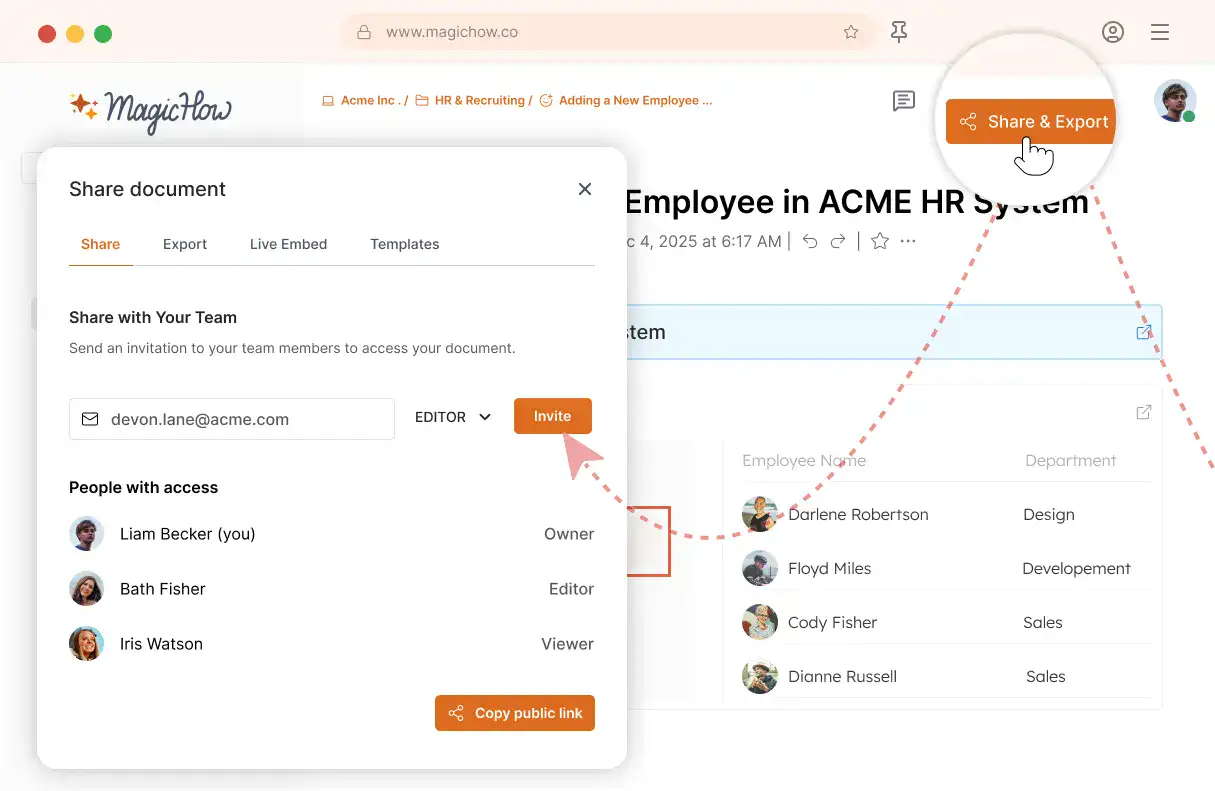
Share with your team
Share guides securely with your team, control access, embed in documentation, or export in multiple formats.
- Invite users to your workspace
- Keep knowledge centralized
- Send public access link
- Export PDF, Word, Markdown
- Control access rights
- Embed in your documentation
Benefit from MagicHow Assistance While Implementing New Tools in Your Company
Go through the process of adaptation to the new tools with ease and without delays. Let your team get up to speed on the tech innovations you provide to stay ahead of your competitors.
Automated SOPs Creation
You don't need to record videos, taking care of the speed of recording and the sequence of actions. Simply follow the procedure naturally while MagicHow captures your actions and turns them into a how-to guide. You can edit and customize your instructions later, at any time.
Visual Content
Showing is the best way to explain. One visual guide beats a few pages of texts, providing clarity and engagement. What's more, MagicHow allows focusing readers' attention on particular details by adding comments, tips, and graphic elements.
Flatter Learning Curve
It's much easier to learn when you have visual, concise instructions in place. The detailed MagicHow guides provide clear explanations of the processes, focusing users' attention on the key details such as forms, buttons, menus, etc.
Easily Shareable Content
Good guiding content is the easily accessible one. Once you've gone through the route, you may want to share your experience with as many people as possible. With MagicHow, you can effortlessly deliver your instructional content with your colleagues and employees.
Help Your Employees Adopt New Tools With Clear, Visual Guides
Got Questions?
If you can't find what you're looking for, get in touch.
How Can I Use MagicHow for Faster and Easier Implementation of New Software Tools in My Company?
With MagicHow assistance, you can generate how-to guides, SOPs, manuals, and other guiding documents to help your employees master new tools within the shortest deadlines. Detailed and concise guides provide the basis for a team's high productivity and prevent errors, delays, and possible frustration caused by a lack of skills and a feeling of insecurity.
MagicHow is a guide builder suitable for documenting the process in which any type of software is involved, including browser extensions and applications for a desktop and laptop. You can document a wide variety of processes in different business domains. Here are just a few examples of such processes:
the creation of a goal for an employee in a human capital management (HCM) system (HR management);
tracking the project's timeline (project management);
defining the ad campaign's conversion rate in Google Analytics (marketing);
ticket status tracking (customer support);
generating a Cash Flow Statement in QuickBooks (financial management).
Each of the processes can be documented automatically. While you perform a task with activated MagicHow, a guide builder captures your actions, takes screenshots, and composes them into a well-rounded guide.
During the implementation of new software tools in your company, you can enrich your knowledge base with SOPs and guides, instructing your team about these tools and ensuring high productivity.
How Can I Provide My Team With Access to MagicHow Guides?
The best way to deliver your instructions is to organize them into a knowledge base or a corporate wiki. You can easily embed documents created with MagicHow into a knowledge repository of any kind by simply copying a piece of code and pasting it into your portal.
In addition, documents created with MagicHow assistance can be shared by a direct link. This option is helpful for passing on experience from more knowledgeable colleagues to the less skilled ones: your teammates can share visual explanations and tips on the most challenging topics through email. One team member can create an SOP or the answer to the FAQ and share it with their colleagues as many times as it's necessary without the need to prepare a new explanation every time.
There are two additional options for sharing the instructional content created with MagicHow: saving a document as a PDF or copying it in HTML or Markdown formats. The variety of ways to distribute the content expands MagicHow users' opportunities to access the knowledge critical for acquiring new tools.
On Which Devices Can My Company’s Employees Use MagicHow?
MagicHow can be downloaded to desktops and laptops. In addition, it can be used for documenting processes performed in browsers. A tool is compatible with four popular browsers, including Chrome, Firefox, Edge, and Safari.
How Can I Use MagicHow to Create SOPs for the Team When Implementing New Tools in a Company?
MagicHow makes it possible to create instructions, manuals, breakthrough tips, tutorials, and other guiding documents in an automated mode. All that is required is to follow the process you want to document while MagicHow automatically takes screenshots and compiles them into a comprehensive, concise, and visual document. The tool focuses users’ attention on the key steps, building the logical document structure. The visual nature of the guides makes the acquisition of the skills easier and faster.
The documents’ authors have a variety of opportunities to customize an SOP, guide, or manual, including:
adding comments and tips;
blurring sensitive information;
adding graphic elements for more emphasis;
modifying screenshots’ visual style.
The automated mode of guide creation ensures time and effort savings, while customization allows for composing manuals that align with the documentation goals, readers' expectations, and the company's visual style.
How Much Does It Cost to Use MagicHow to Teach My Colleagues to Use New Tools?
The basic suite of features can be used for free, and this set of opportunities is enough for the creation of visual guides for your knowledge base or for sharing with particular individuals. These features are as follows:
automated documentation of the processes;
compiling screenshots into a full-fledged instructional document;
document customization and sharing.
For the Premium version users, some extra opportunities are available for more swift work and extended customization.