Create SOPs 10× faster with Our Free SOP Creator
Transform your documentation process with an AI-powered SOP generator. Answer your team's questions and generate professional SOPs in minutes, not hours.
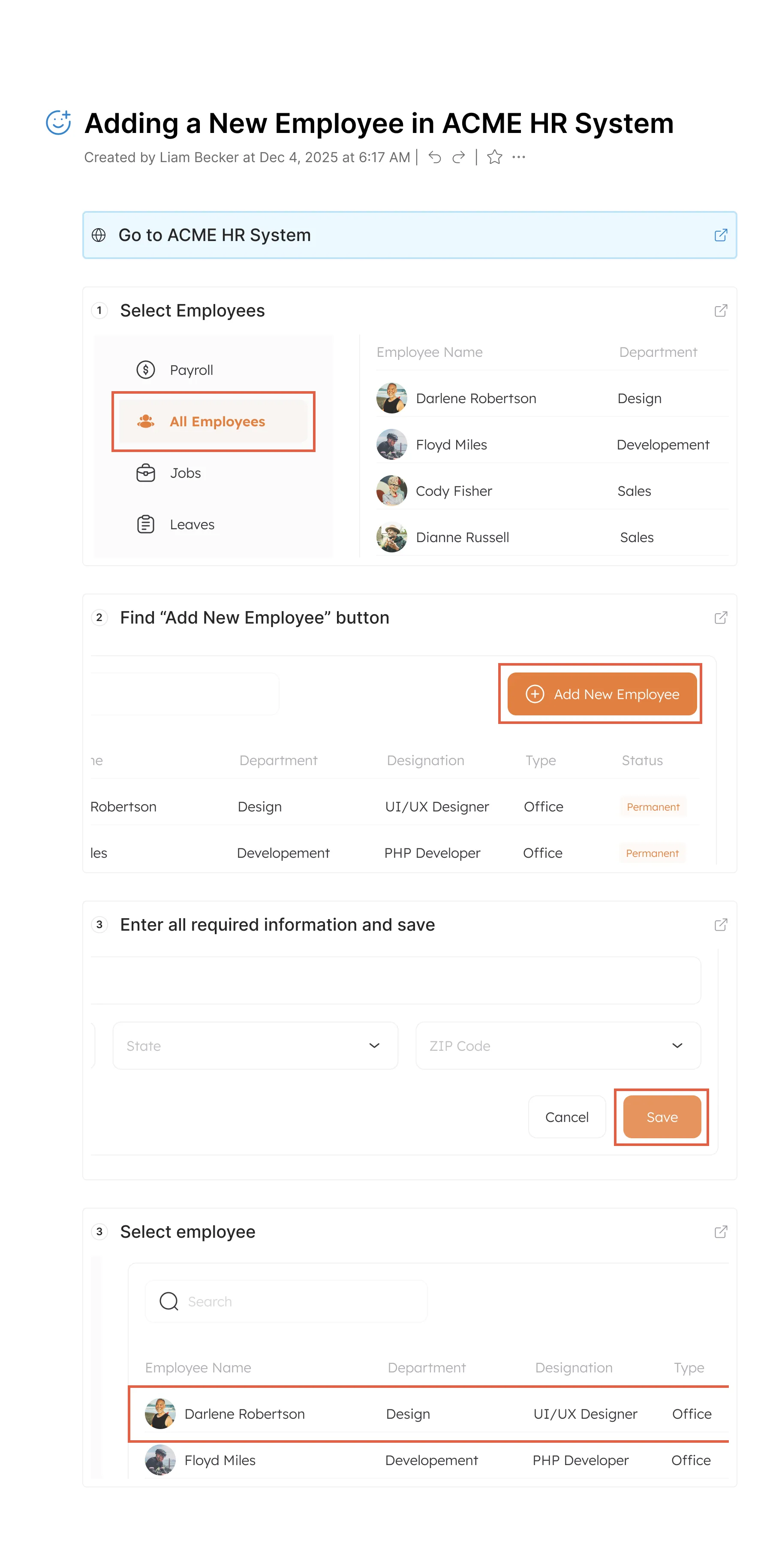
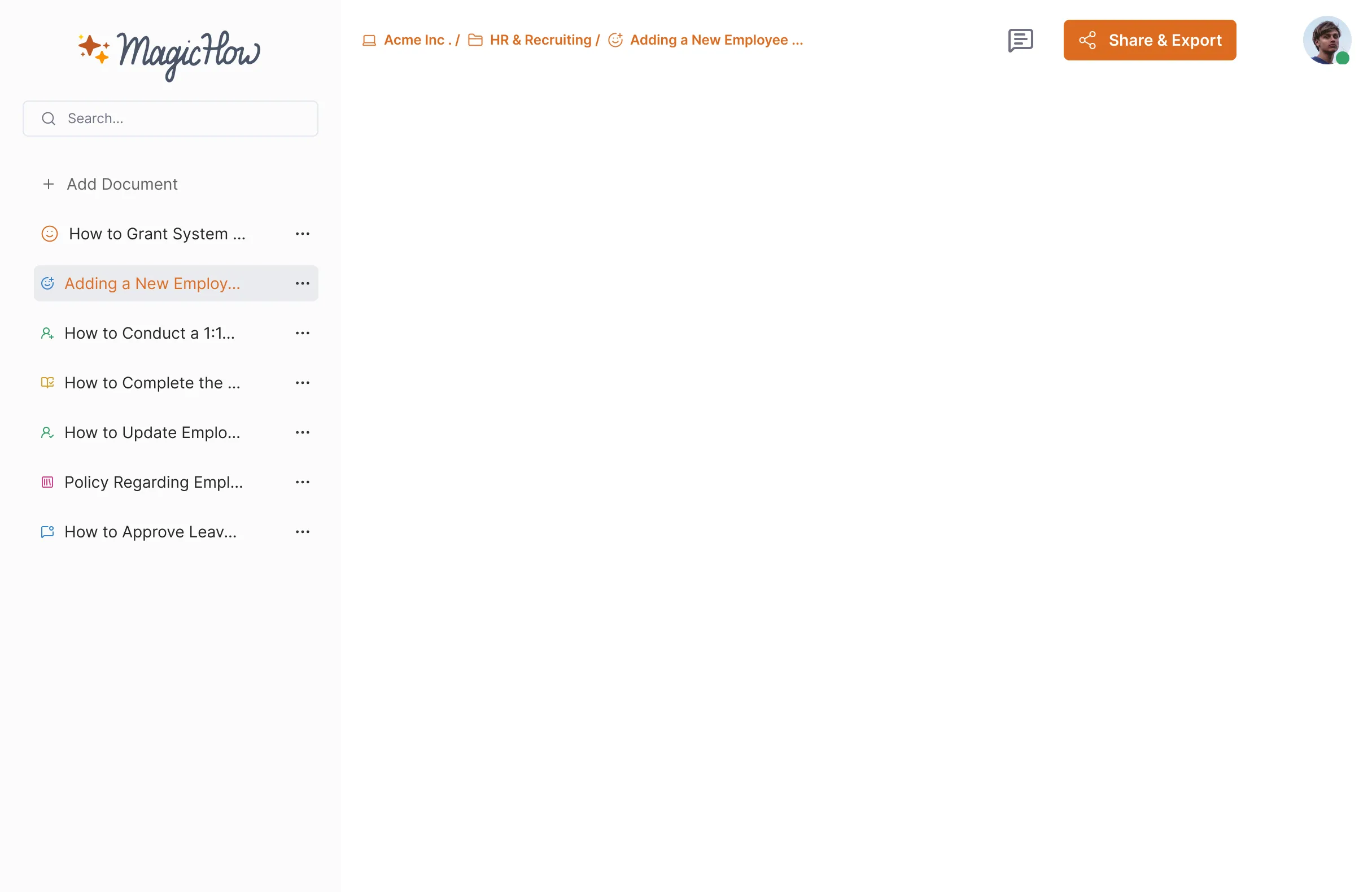
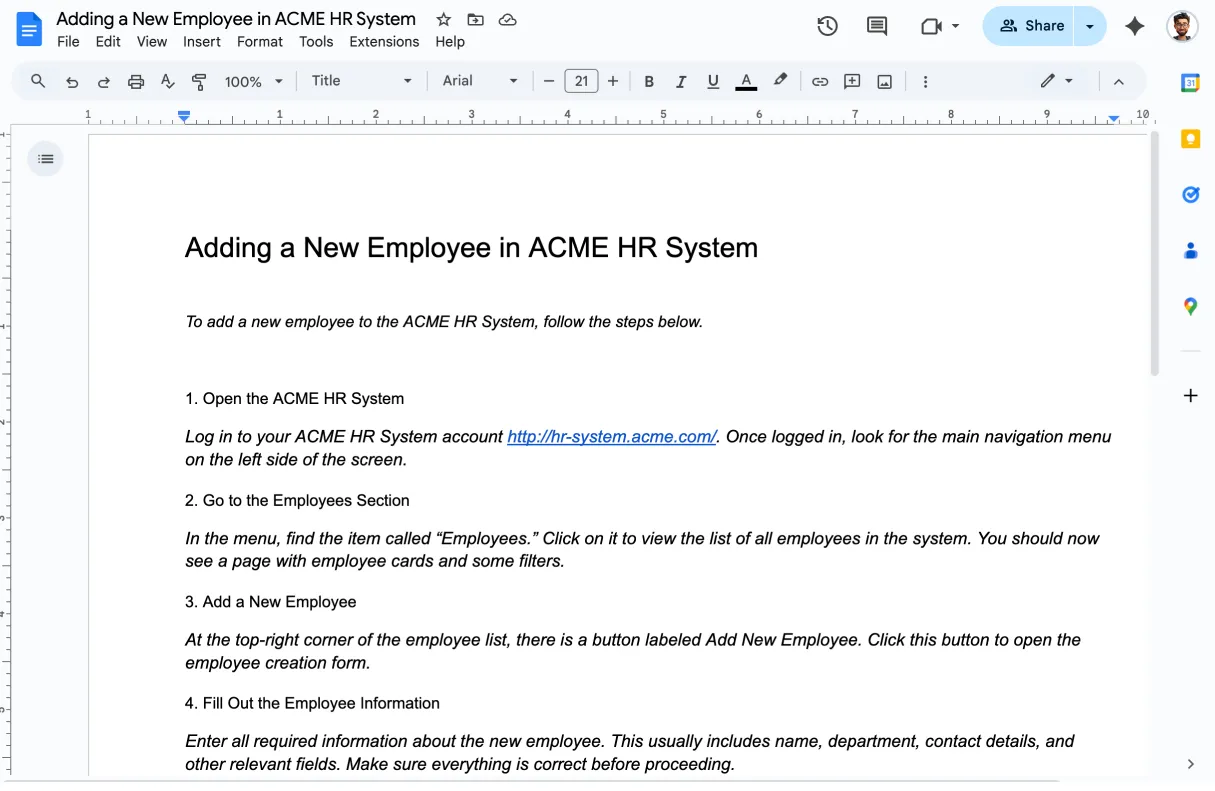
How to Get Started With MagicHow’s AI SOP Generator
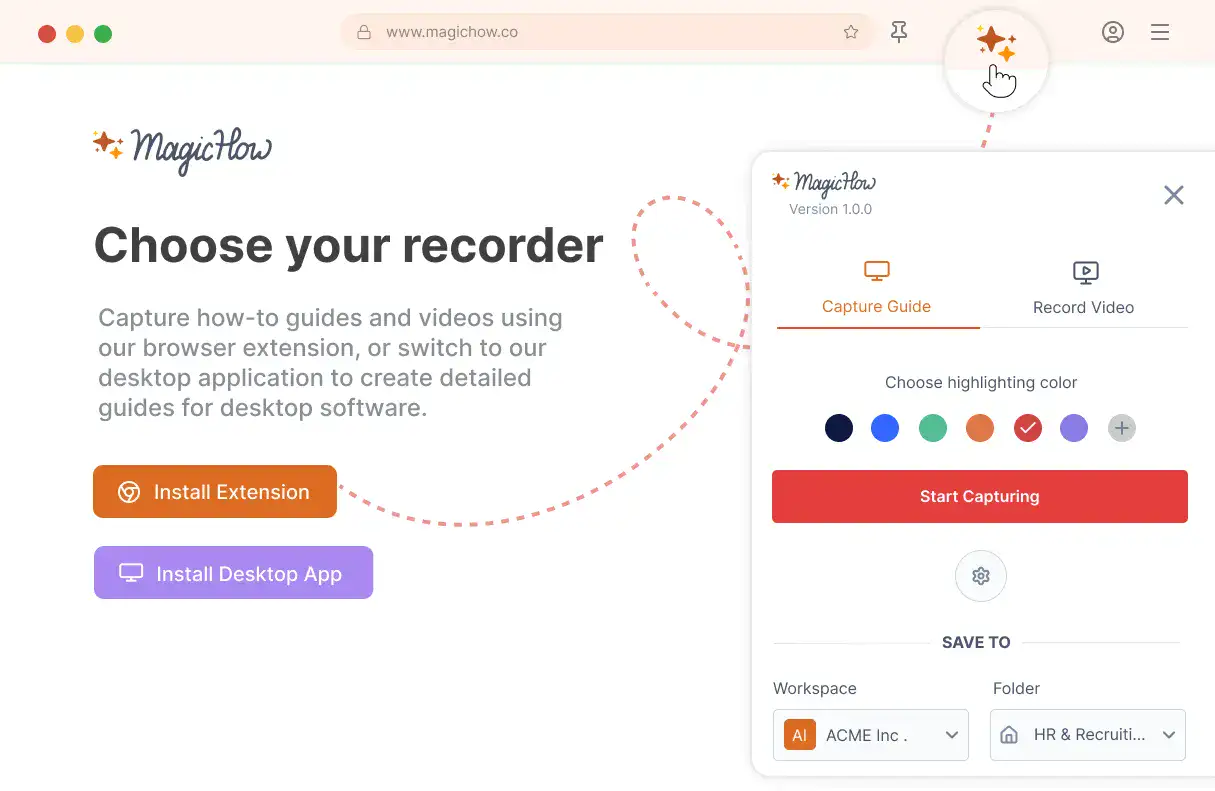
Install MagicHow
Install MagicHow in your browser or on your desktop to start capturing processes across any software in minutes.
- Works in your browser
- Works on desktop (Mac & Windows)
- Works across any software
- Fast, simple, accurate
- Ready in minutes
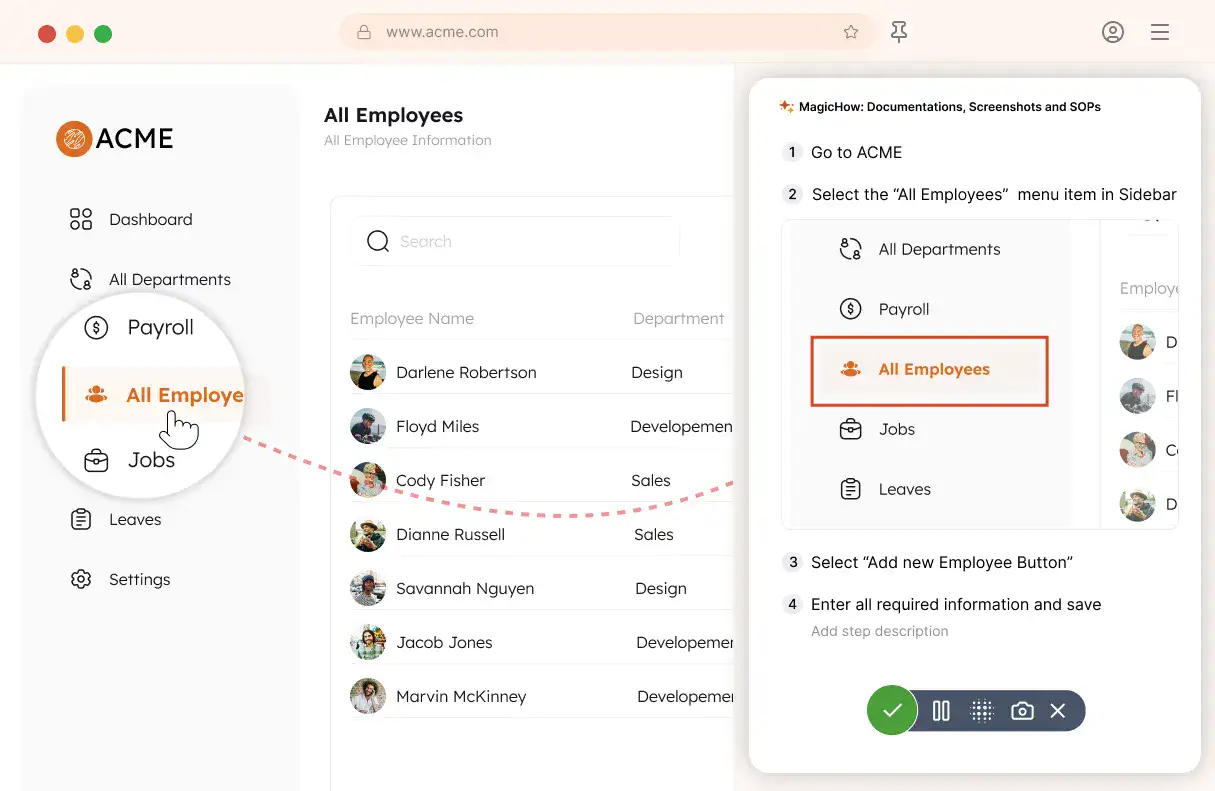
Capture your process
Turn everyday work into documentation by capturing your process as you complete it.
- Creating guides while working
- Record any software process
- Turn actions into steps
- No manual writing needed
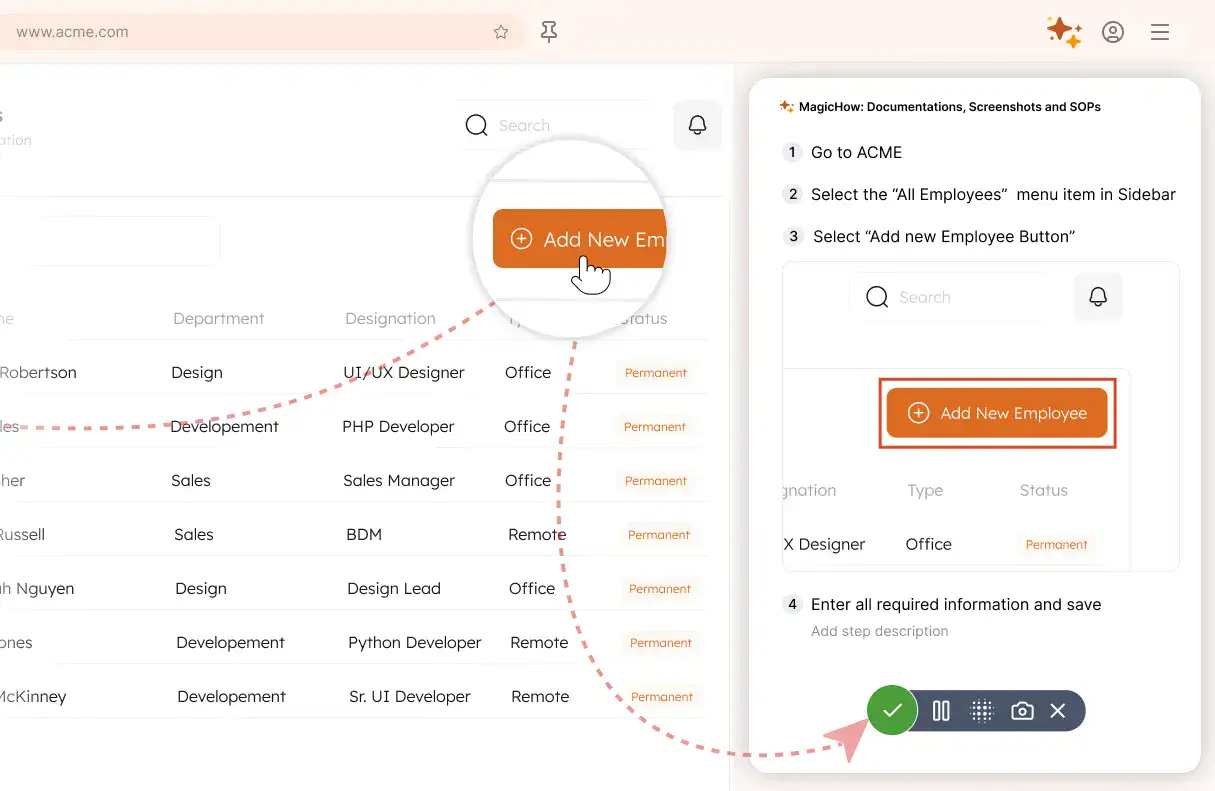
Save your capture
Save your recording, and MagicHow generates a clean, complete step-by-step guide from your actions.
- Turns actions into instructions
- Clean step-by-step output
- No steps missed
- One capture becomes documentation
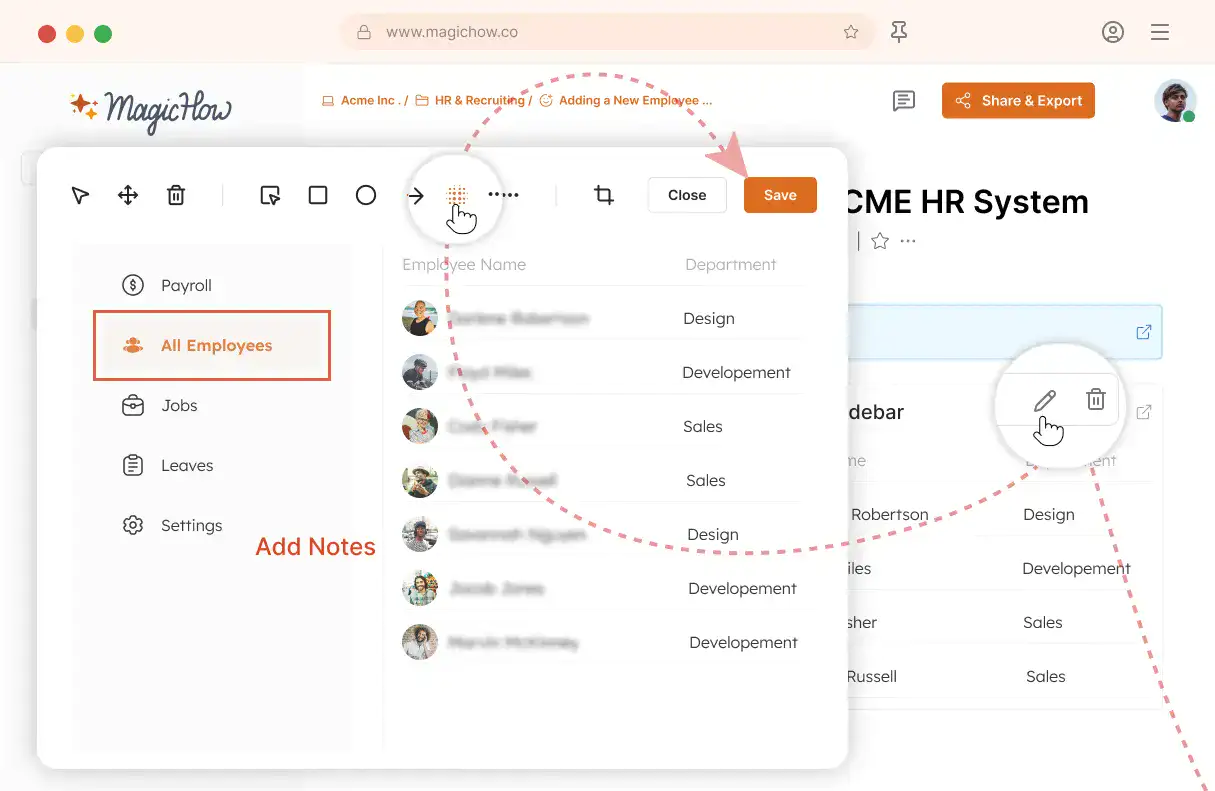
Edit and customize
Quickly improve your guide with edits, AI polishing, and rich content like notes, links, videos, and diagrams.
- Add notes and tips
- Blur sensitive information
- Polish guides in minutes with AI
- Insert links and resources
- Add videos and diagrams
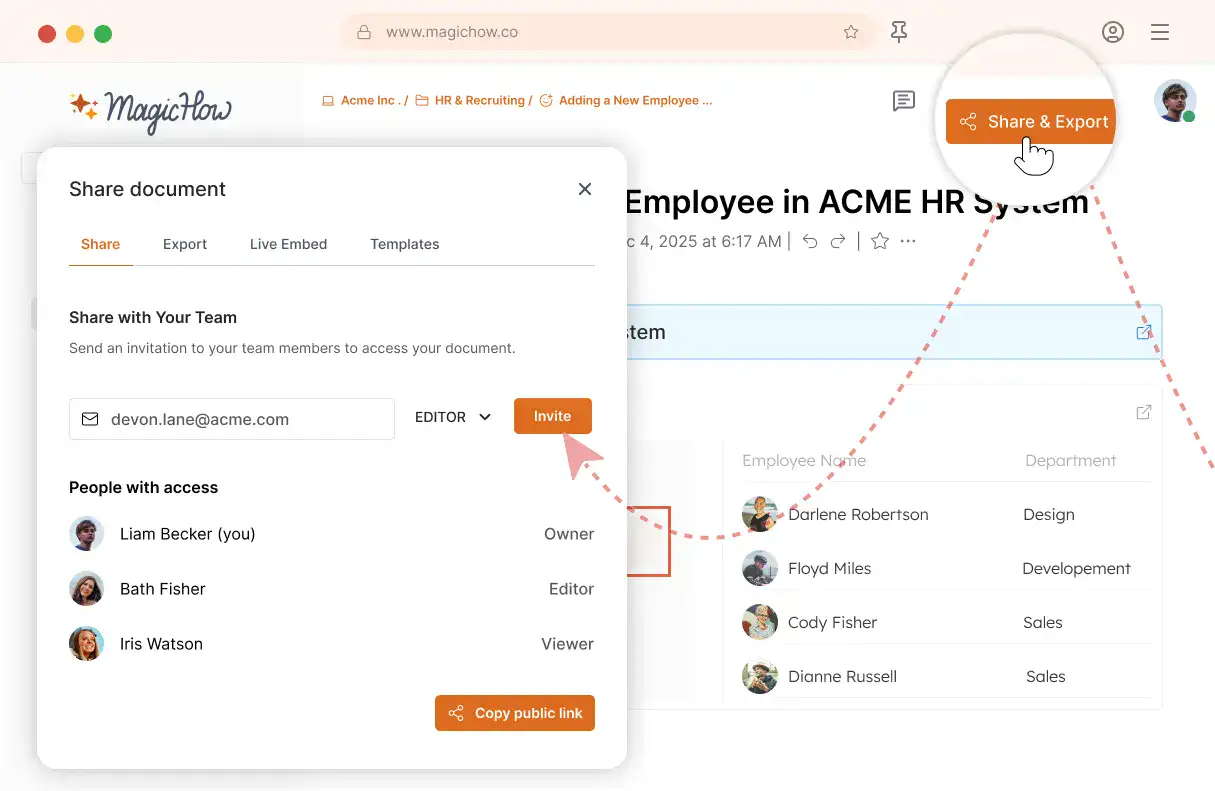
Share with your team
Share guides securely with your team, control access, embed in documentation, or export in multiple formats.
- Invite users to your workspace
- Keep knowledge centralized
- Send public access link
- Export PDF, Word, Markdown
- Control access rights
- Embed in your documentation
One Platform for All Your SOPs
Create and manage SOPs, training manuals, and policies in one place — and keep your processes always up to date.
Frequently Asked Questions
Everything you need to know about our platform
Why Use MagicHow's SOP Creator?
MagicHow step recorder document your process as you work, step-by-step, by turning complex processes into easy-to-follow steps. As a result, you will get SOPs that feel natural, practical, and easy for anyone to follow, as if someone were walking you through the task. Clear documentation helps everyone to be on the same page. When instructions are simple and reflect how the work is actually done, people are more confident and make fewer mistakes.
Keep everything consistent and professional Consistency makes SOPs easier to read, trust, and reuse. When every document follows the same structure and tone, teams know exactly what to expect and how to use them. MagicHow automatically creates SOPs in a clean, standardized format that you can adjust to fit your needs. It also generates clear, relevant titles using AI, making your SOPs easier to search for, share, and maintain.
Learn from your team and improve over time The best SOPs grow with your team. When the people using them can suggest improvements, your documentation stays accurate and relevant as processes change. MagicHow makes collaboration easy by letting teammates comment, react, and suggest improvements directly on each SOP. This keeps everyone involved and ensures your documentation continues to get better over time.
How does MagicHow help manage SOPs?
MagicHow helps teams easily create, organize, and manage standard operating procedures (SOPs) in one centralized platform. By keeping all SOPs up to date and accessible in a single source of truth, MagicHow improves process consistency, reduces errors, and makes it easier for teams to follow and maintain company workflows.
Is MagicHow free to use?
MagicHow offers multiple packages to help teams of all sizes become more productive. Our Free plan includes many features that improve your team's productivity. The Free plan is free forever and is formulated for small teams or individuals with lightweight needs. Our paid plans offer additional features that can make your team more productive and focused on what matters. You can view all available pricing plans on our Pricing page.
Looking to learn more about SOPs?
If you're trying to step up your documentation or figure out how to implement SOPs for real, these guides will be a huge help. They're written to be super practical, easy to follow, and to give you a solid foundation, whether you're starting from scratch or looking to breathe some new life into what you've already got in place.
SOP Software An overview of the tools available for SOPs and how the right software can really make your life easier by saving you time and reducing blunders.
SOP Manual A practical, no-nonsense guide on how to put together an SOP manual that stays on track and makes sense as your team grows.
Knowledge Base Best Practices Tips on how to set up your knowledge base so the information is easy to find, easy to update, and actually gets used by the people who need it.
SOP Template A straightforward overview of what makes a good SOP, along with templates you can pick up and start using straight away. These resources are here to give you the confidence you need to get your processes in order and keep everyone singing the same tune.